Setting Up Your First Monitor in Under a Minute
Jun 29, 2026 · 2 min read
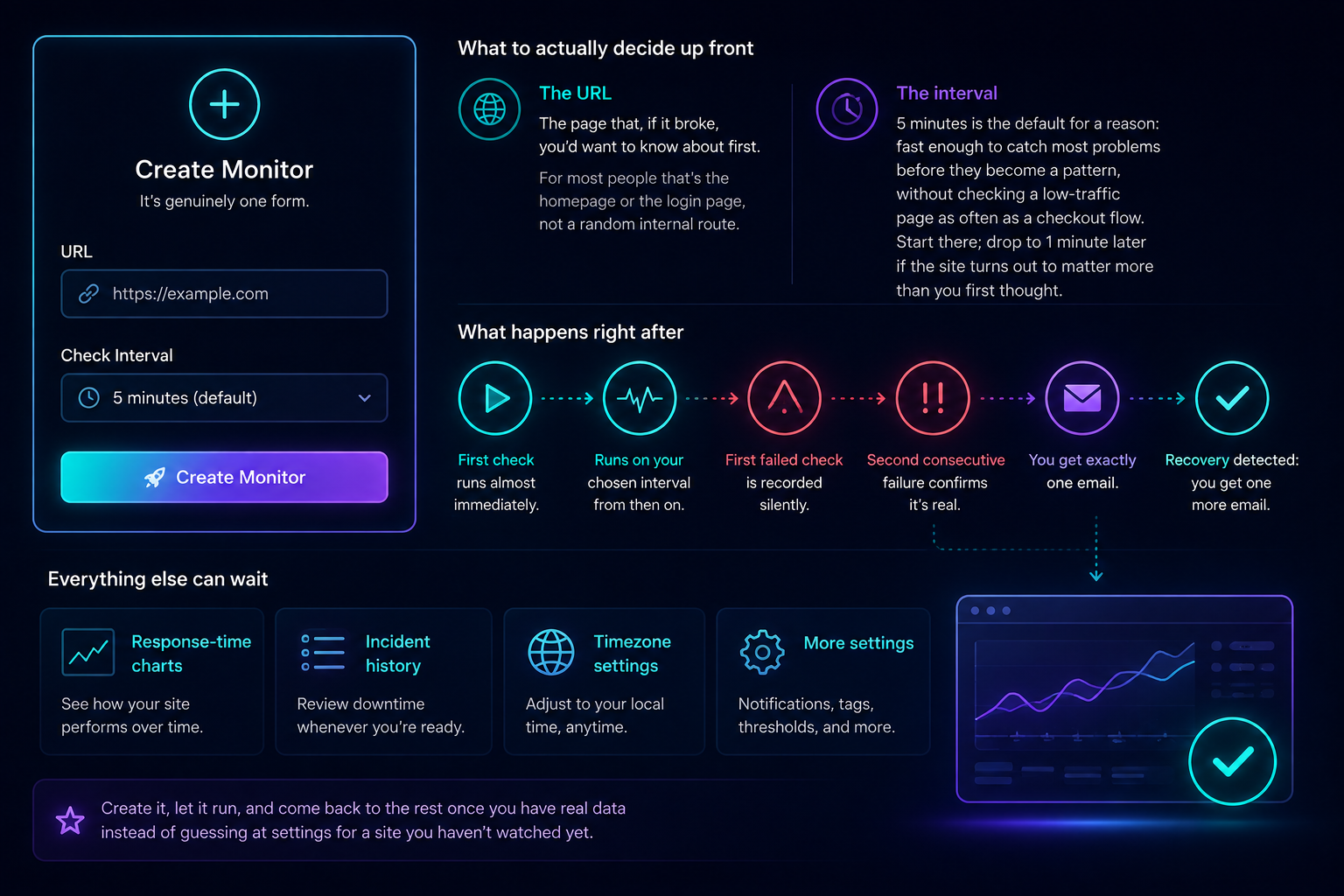
It's genuinely one form
Creating a monitor asks for a URL and a check interval. That's the whole required input — every other setting has a sensible default you can change later, not one you need to get right on day one.
What to actually decide up front
The URL — the page that, if it broke, you'd want to know about first. For most people that's the homepage or the login page, not a random internal route.
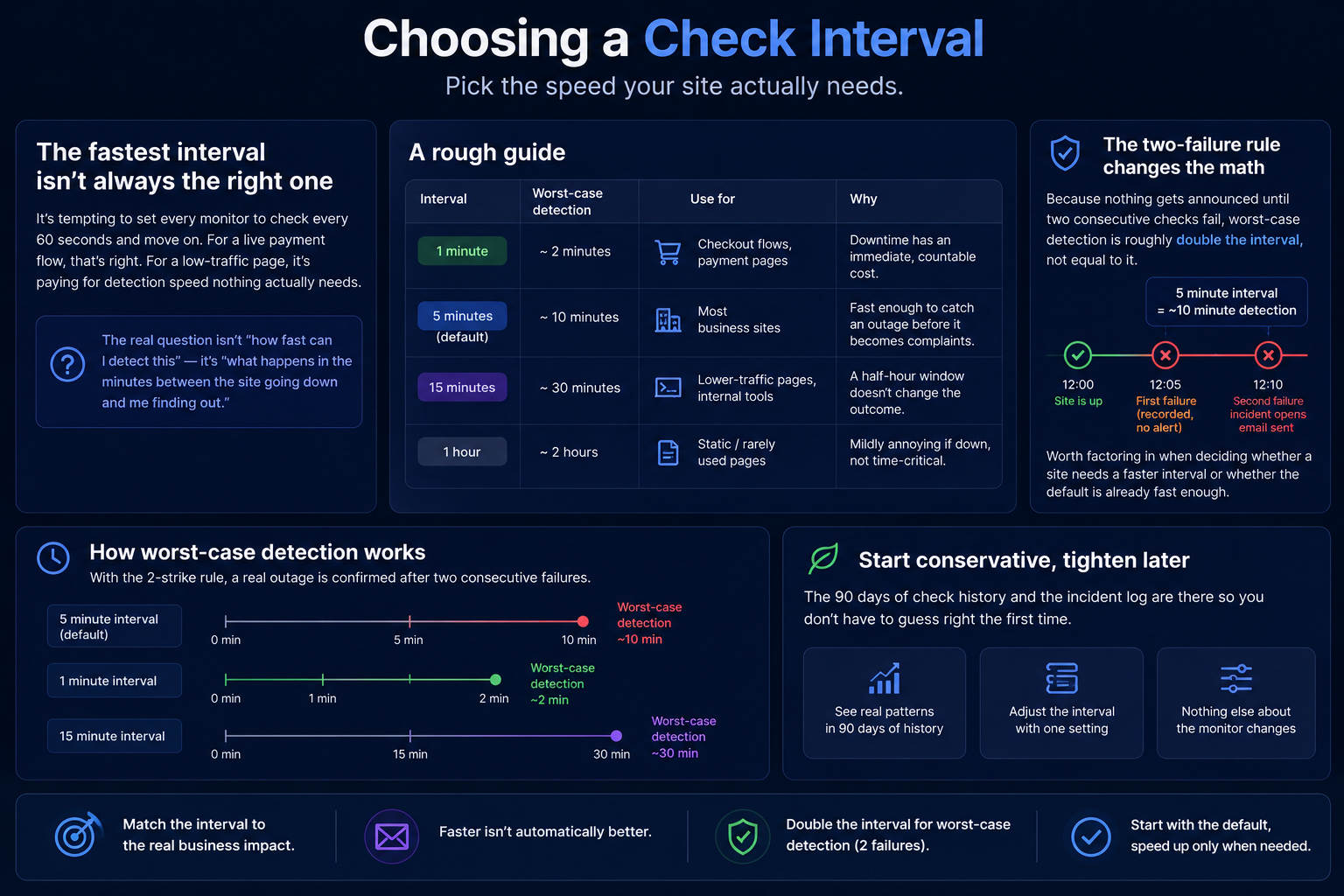
The interval — 5 minutes is the default for a reason: fast enough to catch most problems before they become a pattern, without checking a low-traffic page as often as a checkout flow. Start there; drop to 1 minute later if the site turns out to matter more than you first thought.
What happens right after
The first check runs almost immediately, and from then on it runs on your chosen interval. A single failed check gets recorded silently — nothing gets announced until a second consecutive failure confirms it's real, at which point you get exactly one email, and one more when it recovers.
Everything else can wait
Response-time charts, incident history, timezone settings — none of it needs configuring before the monitor starts working. Create it, let it run, and come back to the rest once you have real data instead of guessing at settings for a site you haven't watched yet.