Every Account Runs on Its Own Clock
Jul 24, 2026 · 1 min read
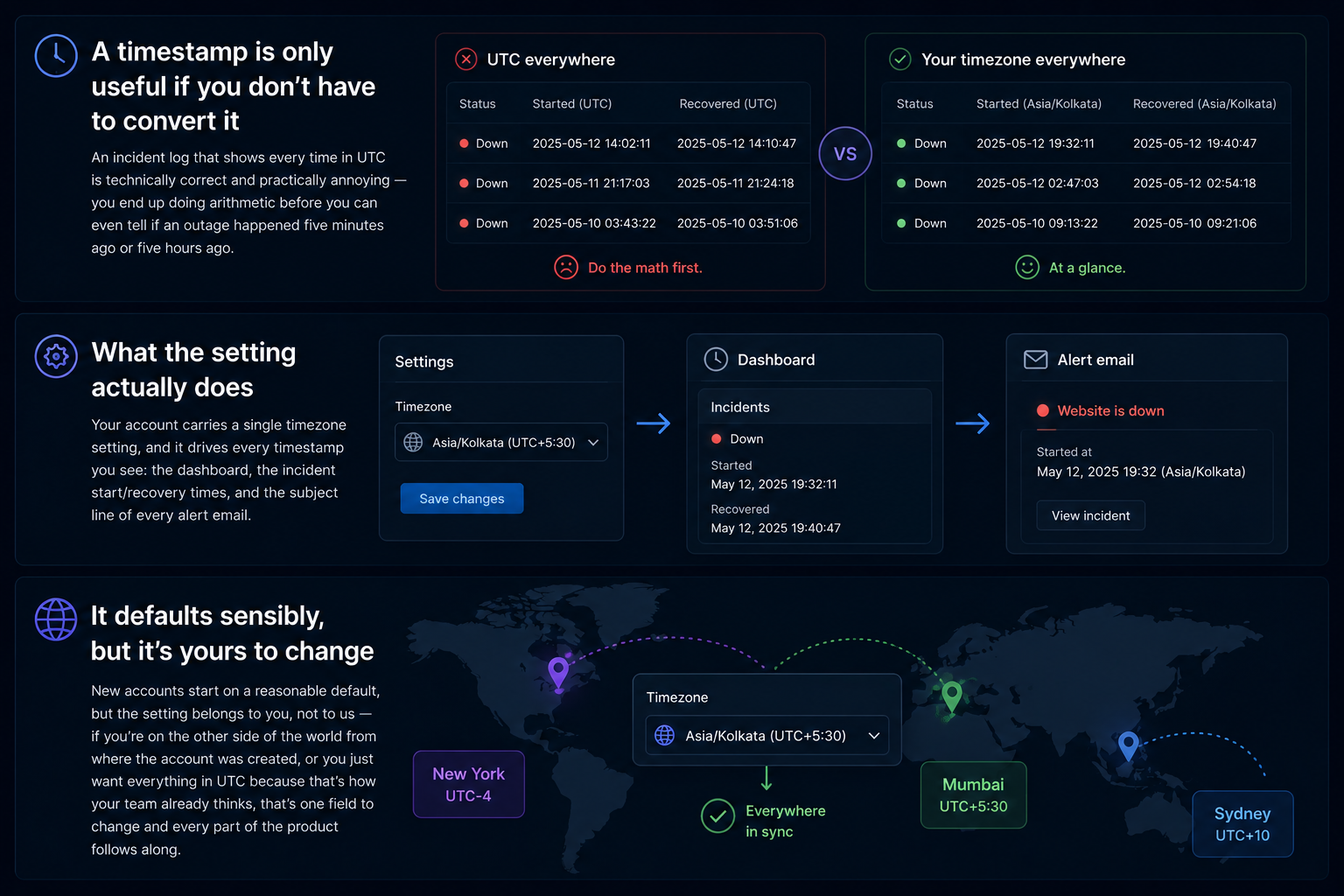
A timestamp is only useful if you don't have to convert it
An incident log that shows every time in UTC is technically correct and practically annoying — you end up doing arithmetic before you can even tell if an outage happened five minutes ago or five hours ago.
What the setting actually does
Your account carries a single timezone setting, and it drives every timestamp you see: the dashboard, the incident start/recovery times, and the subject line of every alert email. Change it once in Settings and every screen and every email that follows uses it — nothing to configure per monitor.
It defaults sensibly, but it's yours to change
New accounts start on a reasonable default, but the setting belongs to you, not to us — if you're on the other side of the world from where the account was created, or you just want everything in UTC because that's how your team already thinks, that's one field to change and every part of the product follows along.