Partitioning the Checks Table: Keeping 90 Days of History Fast
Jun 19, 2026 · 2 min read
The table that grows the fastest
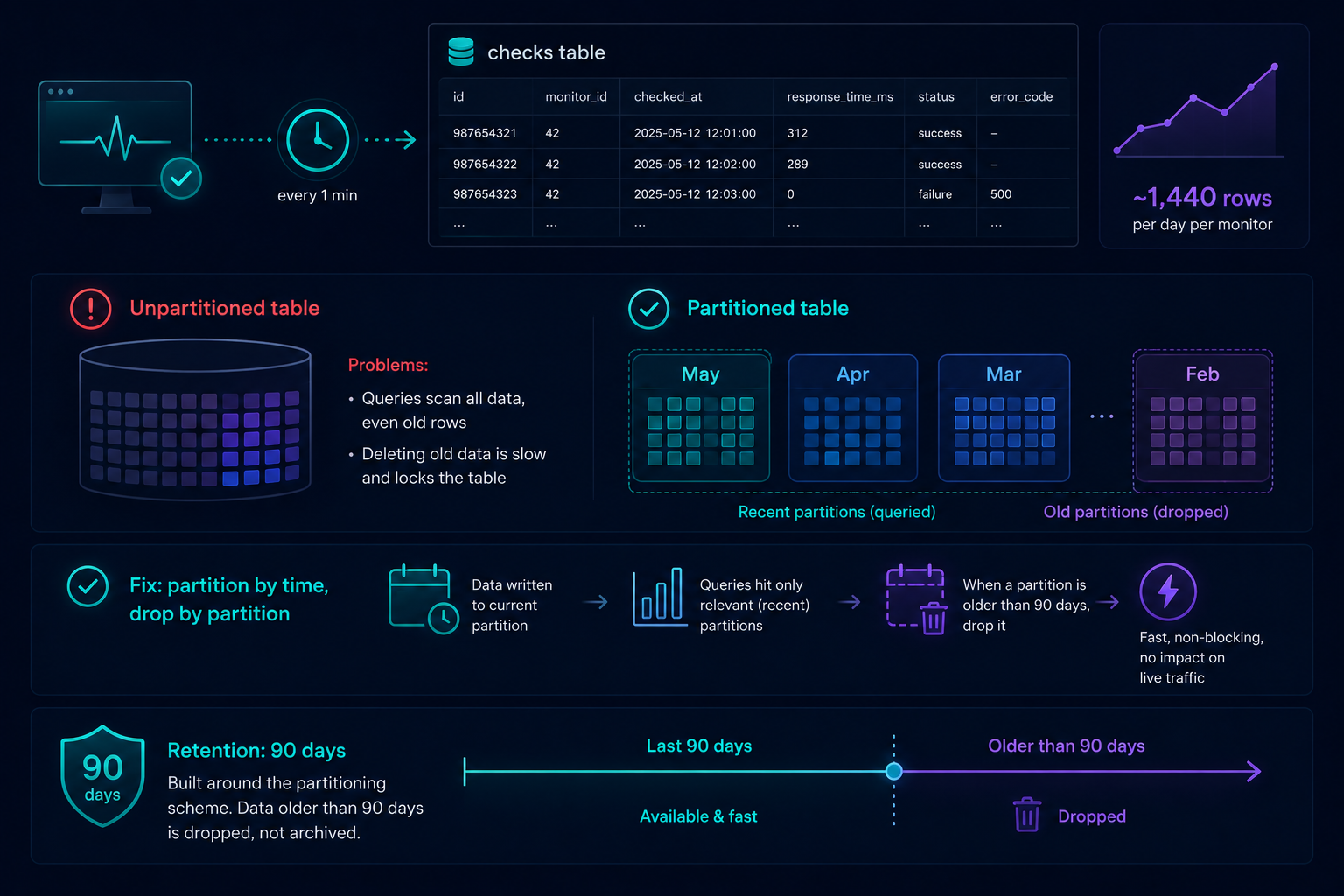
Every check against every monitor writes a row: timestamp, response time, success or failure, error code if it failed. A single site checked every minute writes 1,440 rows a day on its own. Across every account, that's the fastest-growing table in the system by a wide margin — and it's also the table the response-time chart and incident log both query constantly.
Why a plain table stops being enough
An unpartitioned table just keeps growing. Queries for "the last 90 days for this monitor" have
to scan through data that's a year old, two years old, data nobody's looking at, just to find the
recent rows that actually matter. Deleting old data means a slow, locking DELETE against a table
everything else is trying to read at the same time.
The fix: partition by time, drop by partition
The checks table is partitioned, which turns "delete rows older than 90 days" into "drop the partition that's now entirely older than 90 days" — a fast metadata operation instead of a row-by- row delete competing for locks with live traffic. Queries scoped to a recent time range only ever touch the relevant partitions, not the full history.
What this means for retention
90 days of check history isn't an arbitrary number picked for a marketing page — it's the window the partitioning scheme is built around. Past that window, the data isn't archived somewhere slower; it's gone, on purpose, because keeping it would mean paying an ever-growing query and storage cost for history nobody's asking to see.